Duplicating
Tour copied successfully!

Places (POIs) visited during this tour

Place #1
Distance: 0.27mi , Attraction : Airport Entrance
Map Pin
1, Israel
POI 1 Tour Image
POI 1 - Intro
As you approach Ben Gurion Airport, we hope you’ve had an incredible journey through Israel. Whether it was your first visit or one of many, business or pleasure, Israel always has more to discover.

You should now be approaching the security point, placed at the entrance to the airport complex. Advance slowly in any of the left lanes showing a green light.

A security guard will most likely ask you to roll down your window and answer a question or two.

After passing the security checkpoint keep following the route, we are getting close to our final destination.
Place #2
Distance: 0.80mi
Map Pin
XVQV+4Q Zeitan, Israel
POI 3 Tour Image
About UCPlaces
Your journey with UCPlaces doesn’t have to end here!

Keep exploring destinations worldwide with our self-guided GPS-led audio tours - all you need is your phone.

Travel on your terms, at your pace, and in your preferred language.

Wherever your next adventure takes you, open the UCPlaces app to discover available tours and enjoy a stress-free, fully guided experience.
.
We have great driving and walking tours. Just relax and let UCPlaces be your guide!
Place #3
Distance: 0.69mi
Map Pin
Ha Teufa Blvd, Ben-Gurion Airport, Israel
POI 4 Tour Image
Directions
Stay on the main road and keep driving straight
Place #4
Distance: 0.32mi
Map Pin
Derekh ha-Terminal, Ben-Gurion Airport, Israel
POI 6 Tour Image
Directions
At the split, keep right
Place #5
Distance: 0.20mi
Map Pin
Derekh ha-Terminal, Ben-Gurion Airport, Israel
POI 8 Tour Image
Directions
At the split, take the leftmost lane, towards the "Arrivals" sign.
Place #6
Distance: 0.19mi
Map Pin
Derekh ha-Nokhatim, Ben-Gurion Airport, Israel
POI 9 Tour Image
Reminder
At the split, stay in the left lane.

Before you return your rental car, take a moment to double-check for any personal belongings. Look in the glove compartment, door pockets, under the seats, and the trunk to make sure nothing is left behind. Don’t forget to remove your phone charging cables or any other devices you may have connected to the car.
Place #7
Distance: 0.09mi
Map Pin
Horesh St, Ben-Gurion Airport, Israel
POI 10 Tour Image
Entry to parking lot
Take a right to the parking lot. This is where you'll return your car.

Remember the rental instructions sheet that was given to you when you picked up the car?
It contains the access code needed to open the gate.

If you can’t find the sheet, no problem! The number panel at the gate has a button to contact a representative who can assist you with entry.
Place #8
Distance: 0.00mi
Map Pin
Horesh St 3, Israel
POI 11 Tour Image
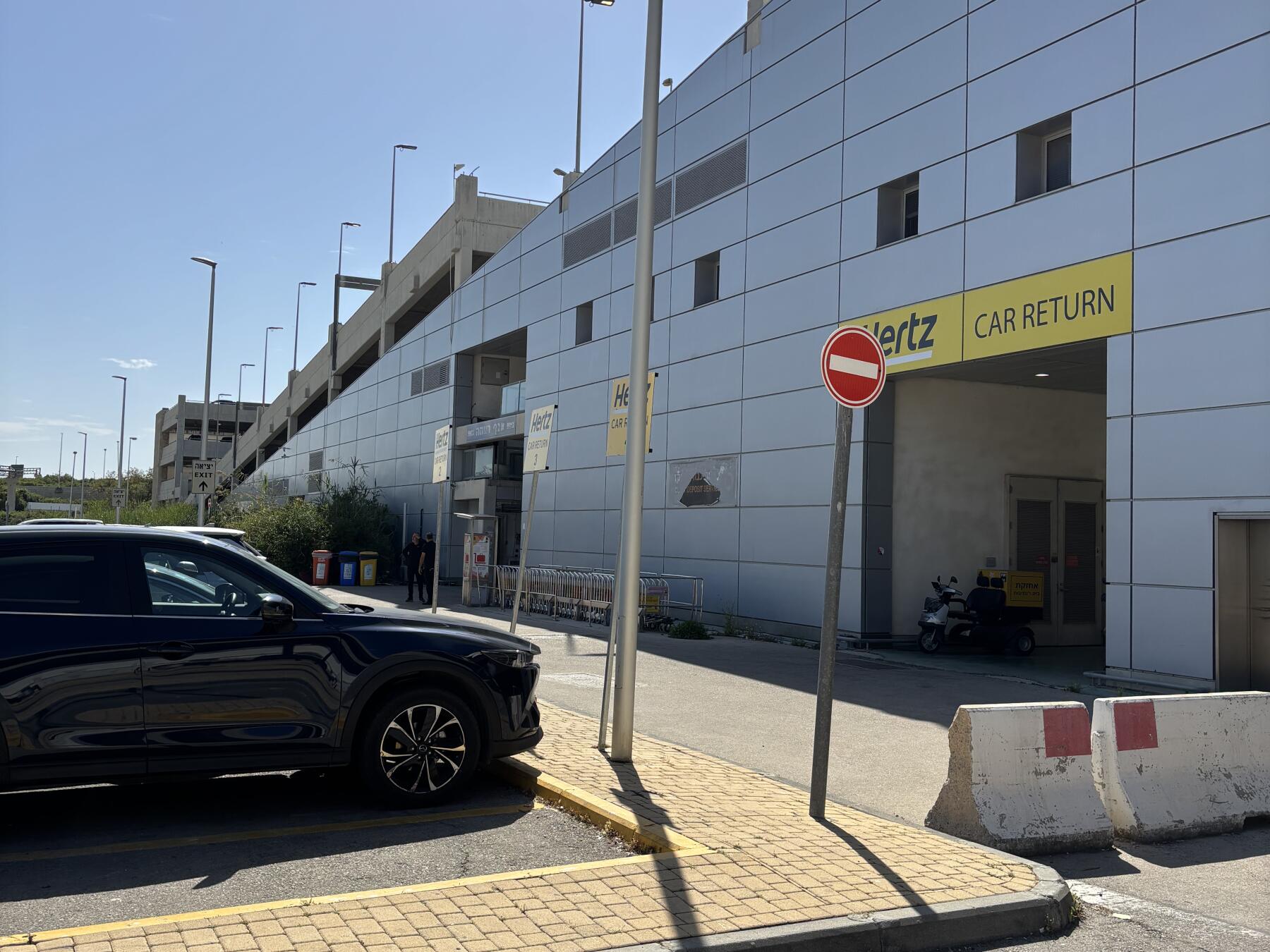
Final destination
Great, you've reached your destination!

We are now in the Hertz car return zone, just leave your car at one of the vacant Hertz parking spots and return your keys to a Hertz representative.

It was my pleasure to accompany you on this journey.

Hope to see you again soon with the UCPlaces app at your next destination.

Safe Travels
 
How to take a UCPlaces tour
Taking a UCPlaces tour is fun and easy.
Download the app (Android or iOS), purchase the tour (either here on the website, or from within the app).
That's it, you're ready to go!
When you want to start the tour, find the tour in the app (via a quick in-app search or by clicking the tour link received in your confirmation email) and click "Start Tour" (headphones recommended for best experience.)
* After purchasing a tour you will receive a purchase confirmation email including the tour link and instructions on how to take the tour, so you don't have to remember anything now.
How does the tour work?
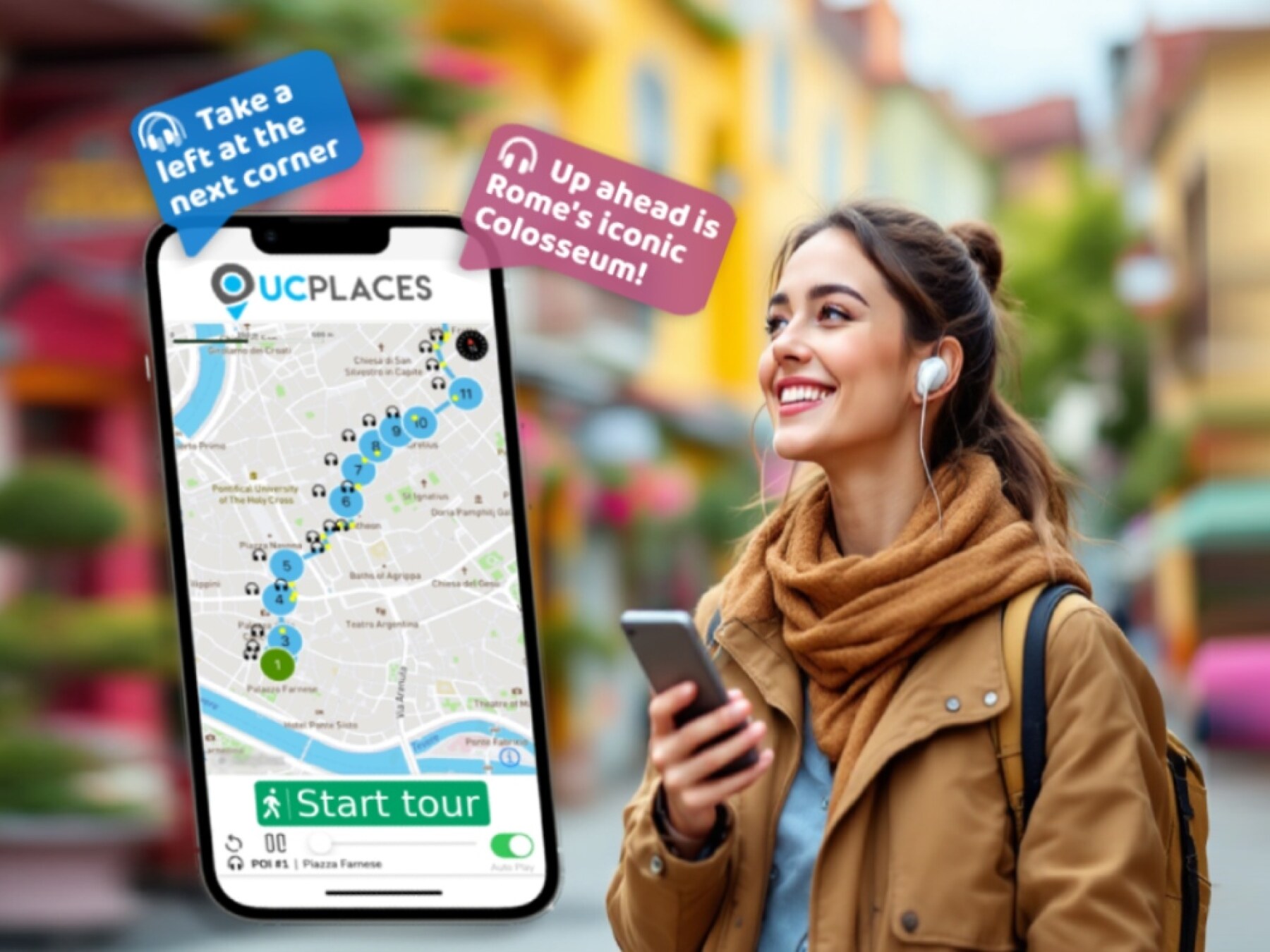
UCPlaces acts as your personal tour guide, providing self-guided audio tours fully navigated within our app using GPS-based navigation. You won't need to switch between external navigation apps.
Whenever you approach a point of interest (POI) on the tour, our app will automatically play the relevant audio story at the right time and place.
If you start the tour before reaching the first POI, the app will navigate you to the starting point and then begin the tour.
How is this more convenient than a traditional tour?
UCPlaces offers an innovative and flexible way to explore exciting destinations on your terms.
Here are some key advantages over traditional tours:
  • No need to commit upfront or purchase in advance; buy a tour only when you're ready to go.
  • Walk at your own pace.
  • No waiting for groups; go on your schedule.
  • Take the tour in your preferred language.
  • Start, stop and continue the tour whenever you want.
  • Returning to the same destination? Take the tour again, and again, and again... And bring a friend!
  • Enjoy preferred prices.

What's included?
  • A self-guided audio tour taken via the UCPlaces app [Android / iOS (iPhone) / Apple CarPlay].
  • Tour route map and in-app GPS navigation (via the UCPlaces app).
  • Audio stories for places visited during the tour.
  • Apple CarPlay connection (for iOS users); for a seamless driving tour experience.
What's NOT included?
  • Earphones (highly recommended).
  • Smartphone.
  • Any kind of transportation (including tickets and passes).
  • Tickets to the attractions on your tour.
  • Food and drinks
  • Physical tour guide.

Have any questions about this tour? Or a general travel / self-guided tours question? That's completely natural

+ How long does this tour take?
Most travelers complete this tour in approximately 0 to 0.5 hours, depending on pace, time spent at each stop, and optional detours. Having said that, please remember that self-guided tours are extremly flexible (you can start, pause, continue anytime) and everyone has their own pace.
+ What does this tour include?
This self-guided driving tour includes 8 stops, covering top attractions such as POI 1 - Intro, About UCPlaces, Directions, Directions, Directions.
+ Where does the tour start?
The tour starts at POI 1 - Intro (Address: 1, Israel). You can begin the tour there or join from any stop along the route.
+ What type of tour is this?
This is a self-guided driving tour designed to be completed by car, covering scenic routes, city highlights and optional key stops.
+ Can I do this tour at my own pace?
Yes, this is a self-guided driving tour, so you can start anytime and explore at your own pace. You can pause, skip stops, or spend more time at places that interest you. You can even split it into multiple days. Explore however feels right for you. The only vaiables that might affect your pace are speed limits and traffic congestion.
+ Do I need a car for this tour?
Yes, this is a driving tour, designed to be completed by car, with stops spread across different locations connected by a driving route.
+ Do I need anything in order to take the tour?
There are two things that you need - <b>1.</b> A mobile phone (with the UCPlaces app installed and active location services, and a cellular data plan with a decent signal for downloading the tour). <b>2.</b> A car. Here are some recommendations for a great experience: 1. Make sure your phone is fully charged and bring a charging cable for your car. 2. Connect your phone to the car speaker system via bluetooth or use our CarPlay/Android Auto option for the best experience.
+ How will I navigate from point to point during the tour?
The tour uses GPS-based navigation through the UCPlaces app, with automatic audio playback and step-by-step directions between stops. This works great either directly from your phone, or while connected to your car's multimedia system and using our CarPlay or Android Auto options. Just follow the route and listen to the audio guide. Use the resume feature to continue from where you recently stopped (or closed the app). Easily skip or go back to stops.
+ Is this tour suitable for families or groups?
Yes, self-guided tours are ideal for families and small groups, allowing everyone to explore comfortably without being tied to a fixed schedule.
+ What makes a self-guided tour better than a guided tour?
Self-guided tours are more flexible, affordable, and personalized. You can avoid crowds, choose your pace, and focus on the stops that interest you most.
+ I installed the app and it's now asking for GPS and media access permissions, why?
The app is your tour-guide, it needs to know where you are located on the map to be able to trigger the points of interest. It also needs access to audio and media files to provide you with this experience.
+ What happens if there are unexpected roadblocks or navigation issues?
We have been working hard to deliver a great experience. Though you may run into unexpected obstacles (the world is constantly changing), our app has multiple features and mechanisms in place to help you overcome them, including: AI assistance, force play an audio if you can't reach the stop, skip or return to stops, automatic rerouting and more.
+ Can I take the tour in my language?
Though all of our tours are primarily in English, many tours are muyltilingual (including: Spanish, German, Portuguese, French, Japanese, Hebrew, French, Arabic and more...). The tour language options depend on the specific tour - You can easily check which languages are available in the tour screen!